
A fundamental shift is happening in software development. For decades, building even a simple interactive application required deep knowledge of specific languages, frameworks, and APIs. It was a process of meticulous instruction, translating a creative vision into rigid, unforgiving lines of code. But what if you could direct the computer like a creative partner, describing the experience, the feel, the vibe you wanted to create, and have it build a working prototype in seconds?
This is the promise of “vibe coding,” a new paradigm of AI-assisted development made possible by models like Gemini 3. It's less about writing code line-by-line and more about articulating a vision. In this guide, we'll walk you through the entire process, from your first idea to a playable, shareable 3D application, all built inside Google AI Studio. You're not just a coder anymore; you're a director, and Gemini 3 is your production studio.
What is "Vibe Coding"? The New Era of AI-Powered Development
Vibe coding is an intuitive, conversational approach to building software. Instead of starting with an empty file and a blinking cursor, you start with a prompt. You describe the application you want- its purpose, its look, its interactive elements- in natural language. The AI, in this case Gemini 3, acts as your co-pilot, planner, and engineer, scaffolding the entire project, writing the code, and presenting you with a functional app.
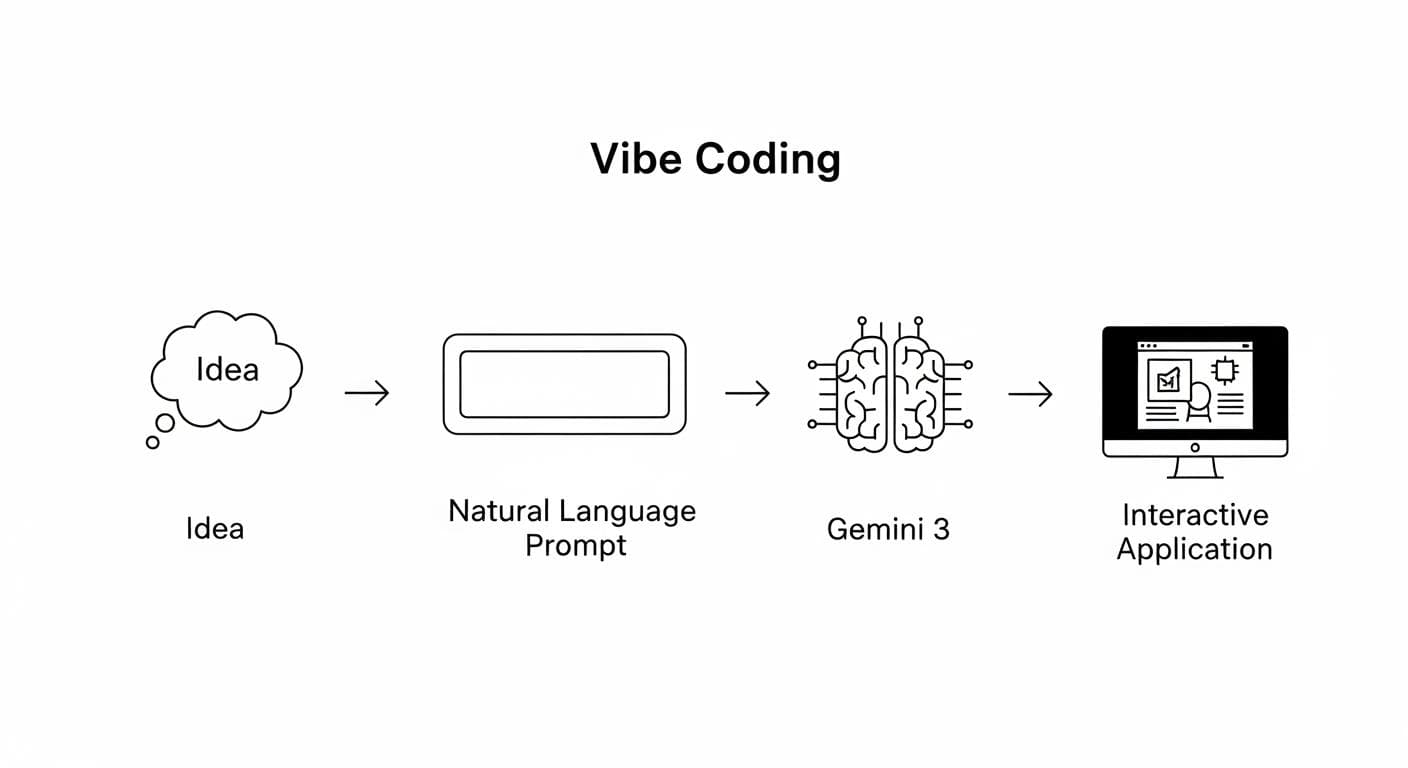
This process transforms development from a purely technical task into a creative dialogue. You can focus on the "what" and the "why," while the AI handles the "how." The result is an incredibly accelerated path from concept to reality, enabling developers to prototype faster and empowering a new generation of creators who may not have a traditional software engineering background to bring their ideas to life.
Beyond Code Generation: Why Gemini 3 is a Game Changer for 3D
While code generation has existed for a while, Gemini 3 represents a significant leap forward, particularly for creating rich, interactive 3D experiences. Its unique strengths are what make vibe coding so effective:
- Aesthetic Sensibility: Gemini 3 has an innate understanding of design, typography, and user interface principles. When you ask for a "clean, modern landing page" or a "cozy cabin style," it doesn't just generate functional code; it produces visually appealing and well-designed outputs.
- Complex Reasoning and Planning: Before writing a single line of code, Gemini 3 breaks down your request into a logical plan. It identifies the necessary components (e.g., UI, game logic, 3D assets) and structures the application intelligently. You can watch this "Planning" step happen in real-time in AI Studio.
- Multimodal Understanding: You aren't limited to text prompts. You can provide Gemini 3 with images, documents, or even videos as a starting point. This unlocks powerful workflows like turning a static floor plan image into a 3D architectural walkthrough.
- Fluency in Modern Frameworks: The model is highly proficient with modern web technologies like Three.js (3JS) for 3D graphics, making it perfectly suited for building the kind of interactive games and simulations we'll explore.
Setting Up Your Lab: Getting Started with Google AI Studio
Your journey into vibe coding begins in Google AI Studio. It's a web-based environment designed for developers to experiment with and build upon Google's latest AI models. Here's how to get started:
- Visit AI Studio: Navigate to the Google AI Studio website. You can get started for free using your Google account.
- Navigate to the Build Tab: While AI Studio allows for simple chat and prompt tuning, the real magic happens in the "Build with Gemini" section. This is your primary workspace for vibe coding.
- Get Your API Key (Optional but Recommended): For most initial projects, you can use the free quota. However, to unlock more advanced models (like those for video generation) and higher usage limits, you'll want to create a project in Google AI for Developers and generate an API key.
That's it. There are no complex environments to configure or dependencies to install. You're ready to build.

Your First Project: Building a 3D Game in a Single Prompt
The best way to understand vibe coding is to do it. Let's walk through a practical example to see the process in action. Imagine you want to build a simple 3D fishing game from scratch.
Step 1: The "One-Shot" - Crafting Your Initial Idea
Start with a clear, evocative idea. Don't worry about technical jargon. Describe the scene, the objective, and the mechanics as if you were explaining it to a person. To create our game, we could craft a prompt like this:
Create a fishing game. You're on a wooden boat. When you throw the fishing line, you should catch a fish, a whale, or a tire. When you hit the space bar, it should throw the fishing line. If you catch the whale, you have to hit space bar rapidly to reel him in. The pond should be in a lake in Oklahoma at sunset.
This single paragraph contains everything Gemini 3 needs to plan and build the application: the setting, the core mechanic, the outcomes, and a special interaction.

Step 2: Understanding the Output - How AI Studio Structures Your Code
After you submit your prompt, Gemini 3 begins its work. On the left-hand panel, you'll see the "Planning" phase, where it outlines the file structure (e.g., sky.tsx, boat.tsx, gameLogic.ts). It then generates the code for each file. On the right, a live preview of your application will appear. You now have a complete, self-contained web application with all the HTML, CSS, and JavaScript required to run.
Step 3: From Prototype to Playable: The Art of Iterative Prompting
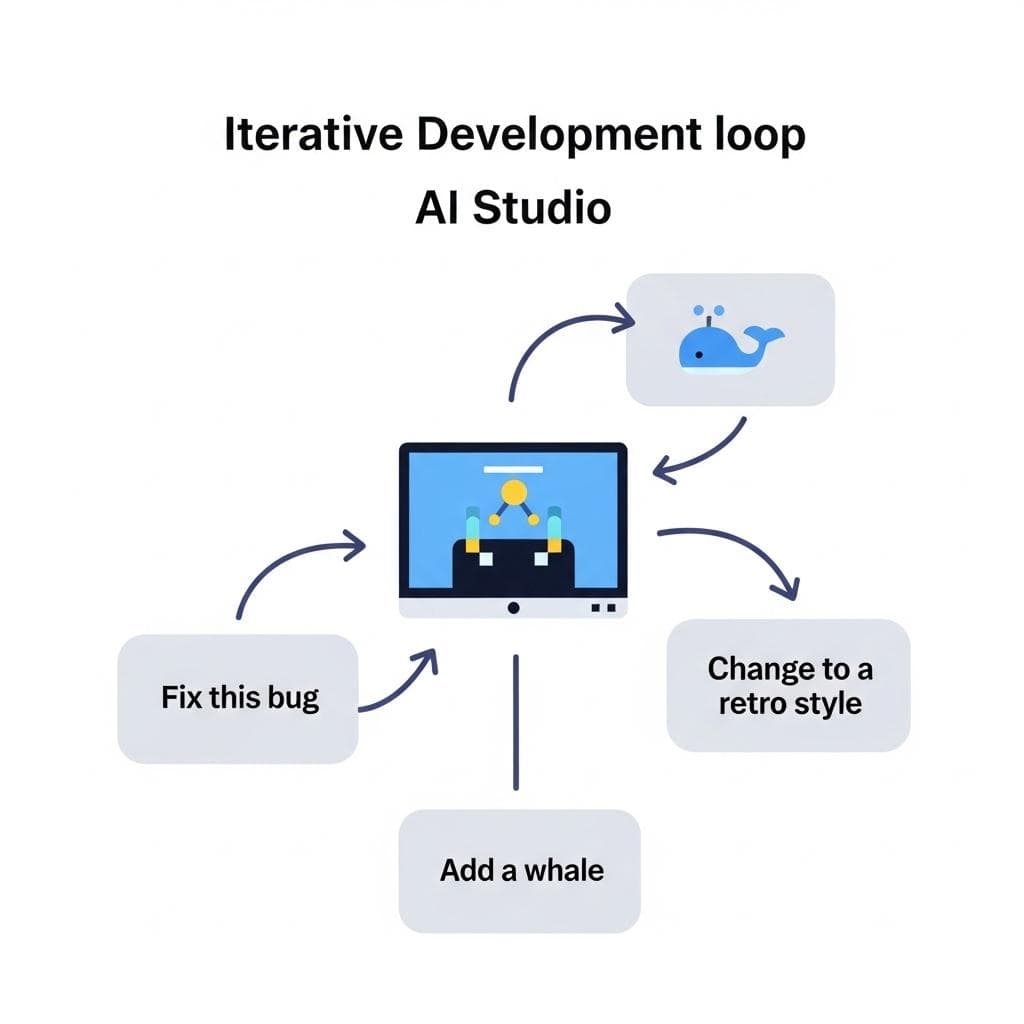
Your first attempt might not be perfect. This is where the real power of vibe coding comes in. You don't dive into the code to fix issues; you continue the conversation with the AI.
For instance, if the spacebar wasn't casting the line correctly in our fishing game, instead of opening a debugger, the next prompt could simply be:
Fix this bug. The spacebar isn't casting the line.
Gemini 3 understands the context of the application it just built. It can analyze its own code, identify the logical error, and provide a corrected version. You can continue this dialogue to layer features and complexity: "Add a score counter" or "Make the whale very rare to catch." Each prompt builds upon the last, allowing you to organically shape your initial prototype.
The Creative Pivot: A Leap in Imagination
Perhaps the most powerful aspect of this iterative process is the ability to make dramatic creative pivots. Imagine starting with a completely different asset, like a 2D black-and-white image of a house floor plan. You could start with a prompt like:
Create an interactive app from this floor plan that lets me place furniture in the rooms.
Gemini 3 can scan the image, identify the rooms, and build a 2D drag-and-drop interface. But you don't have to stop there. Your next prompt can be a complete game-changer: "Now, turn this into a <b><a href="/blogs/bring-anything-to-life-gemini-3-multimodal-apps">3D home visualization</a></b> using 3JS that I can walk through." This ability to pivot isn't limited to a single project - it highlights the vast creative canvas this technology unlocks.
A Gallery of Possibilities: Showcasing the Potential
To grasp the full potential of vibe coding, let's explore a gallery of other ambitious concepts you could bring to life with a similar process.
Example 1: The Flight Simulator (Complex Physics and Environment)
You could tackle complex physics and environments. A prompt like "Create a 3D flight simulation game in 3JS where I can fly a biplane around a city and land it on a runway" demonstrates the potential to generate a world with basic physics, flight controls, and a procedurally generated city. A follow-up prompt like "Add a blimp sponsored by Google" could add new, specific assets to the world dynamically.

Example 2: The Interactive Floor Plan (Practical Simulation)
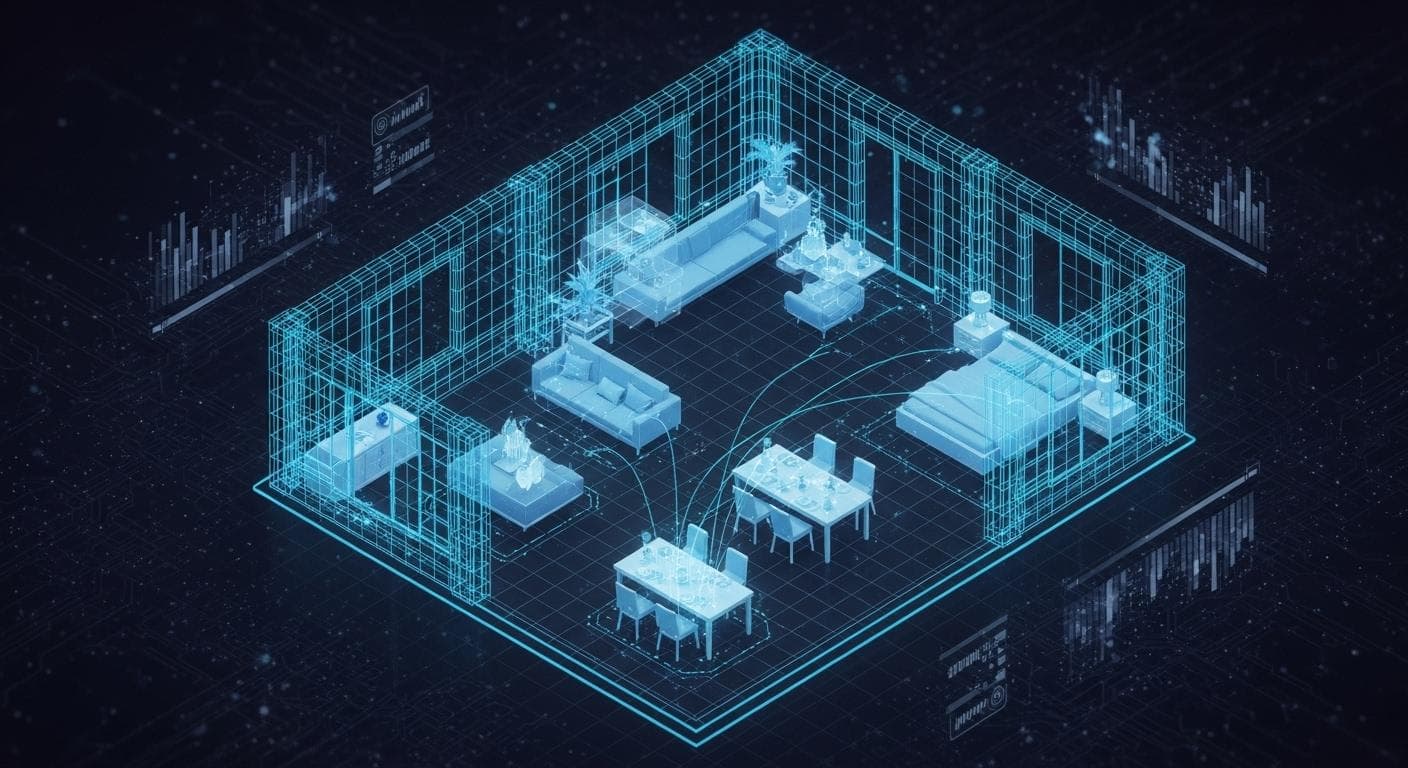
The same principles apply to practical simulations. Taking a 2D floor plan, a prompt could generate an interactive model. Further prompts can add incredible detail and functionality: "Add a style option for 'warm cozy cabin'" has the potential to change the textures and lighting of the entire 3D model, allowing for rapid architectural visualization.
Example 3: The Music Rhythm Game (Webcam Input and Interactivity)
Gemini can also integrate with browser APIs to create unique interactive experiences. Imagine prompting for "a 3D music rhythm game where I slash at glowing sparks using my webcam to track my hand movements." This could result in an app that uses your computer's camera as a controller, bridging the digital and physical worlds.

Best Practices for Vibe Coding Your Next Big Idea
As you begin your own projects, this new workflow comes with its own set of strategies and considerations.
The Human Touch: AI Prompting vs. Manual Coding
While incredibly powerful, vibe coding is not a replacement for development knowledge. For small tweaks - like changing a color value or a line of text - it might be faster to edit the code directly in AI Studio's built-in editor. For larger structural changes, bug fixes, or new features, it's almost always better to use a follow-up prompt. The key is to see the AI as a partner. Use it for the heavy lifting and apply your own expertise for fine-tuning and final polish. Sometimes the AI will generate code that is subtly incorrect or inefficient, and knowing when to step in manually is a crucial skill in this new paradigm.
Prompting for Aesthetics vs. Functionality
Be explicit about both. Use descriptive adjectives for the look and feel ("cyberpunk," "minimalist," "hand-drawn") and clear verbs for the functionality ("when the user clicks," "the score should increase"). A good prompt balances creative direction with technical specification.
Sharing Your Creation: From AI Studio to the World
AI Studio makes it easy to share your apps. You can generate a public link to let others playtest your creation directly. For more serious projects, you can export the full codebase to continue development in a more advanced environment like Anti-Gravity or deploy it to a service like Google Cloud Run.
Conclusion: You're Not Just a Developer, You're a Director
Vibe coding with Gemini 3 is more than just a new tool; it's a new mindset. It dramatically lowers the barrier to entry for creating complex software and elevates the role of the developer from a pure technician to a creative director. Your core skill becomes your vision and your ability to articulate it. The process is faster, more iterative, and profoundly more creative, allowing you to spend less time wrestling with syntax and more time exploring what's possible.
This is just the beginning of the agentic development era. As models continue to grow in capability, the line between idea and execution will only become thinner. The tools are here, the canvas is blank, and the studio is open. It's time to start building.
What's the first 3D game or simulation you're excited to build using this method? Share your most creative ideas in the comments below!



Comments
We load comments on demand to keep the page fast.